Linux Mint 22.3
Available downloads
Choose the image that matches your architecture and use case.
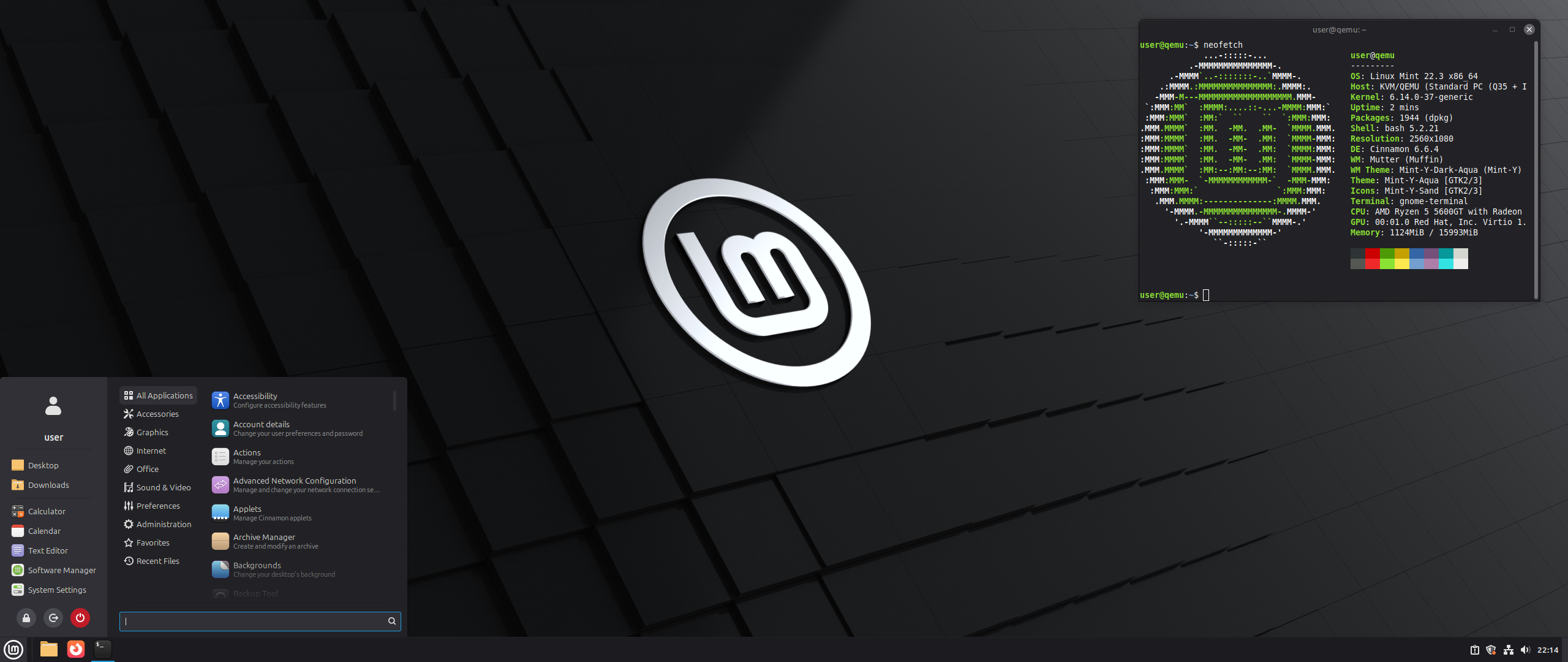
Reference screenshot; point releases may differ. Breno Martins de Oliveira Vasconcelos · Source · GNU GPL v3 (see source)
Description
Linux Mint is an Ubuntu LTS-based desktop distribution focused on an approachable traditional interface and practical graphical tools. Linux Mint 22.3 Zena is supported until April 2029 and is available in Cinnamon, MATE and Xfce editions.
Who is Linux Mint for?
Linux Mint is primarily suited to people moving from Windows or trying Linux for the first time; daily desktop use, study, web browsing and productivity. Before choosing it, compare the current release lifecycle with the length of support required for the machine. This distribution is based on ubuntu, which influences package formats, repositories and much of the available documentation. The listed desktop environment is Cinnamon, MATE and Xfce; confirm its memory, graphics and accessibility requirements on the official project site. The best choice depends on hardware support, preferred software, update policy and the amount of system administration the user wants to perform.
Before installing
Read the release notes and installation guide before downloading. Select an image that matches the processor architecture and intended use: desktop, server, live media, virtual machine or another published edition. Test Wi-Fi, graphics, audio, storage and suspend from live media when that option is available. Back up important files before repartitioning, encryption changes or dual-boot installation. Download from an official project page or mirror, compare the published SHA-256 checksum, and verify a signed checksum when the project provides one. After installation, apply updates before adding third-party repositories or drivers.
Advantages
- Designed to provide an approachable installation and everyday desktop experience.
- Benefits from the package ecosystem and documentation associated with its ubuntu lineage.
Limitations
- Hardware support, upgrade policy and available editions should be confirmed in the current official documentation.
Distribution details
- System type
- linux_distribution
- Based on
- ubuntu
- Desktop
- Cinnamon, MATE and Xfce
- Updates
- Long-term support (LTS)
- Categories
- desktop, beginner
Installation requirements
- Architectures
- x86_64
- Memory
- 2 GB minimum; 4 GB recommended
- Storage
- 20 GB minimum; 100 GB recommended
- Firmware
- 1024×768 display; lower resolutions may require moving windows with Alt.
Current Linux Mint FAQ requirements.
Safe download
The download button first records an anonymous aggregated download counter and then redirects to the official source.
After installing Linux Mint
A project-specific post-installation checklist. Commands are displayed for your own equipment; the website never runs them. Use an authorized administrator account when required.
Back up personal files
Copy important files to a separate destination and test restoration. Timeshift focuses on system recovery, not personal-file backups.
Before you continue: Keep your personal backups separate from system snapshots.
Read project documentation: Back up personal filesSet up Timeshift
Open Timeshift, choose a suitable snapshot destination and schedule, and create an initial system snapshot.
Before you continue: Check destination capacity before enabling a schedule.
Read project documentation: Set up TimeshiftUse Update Manager
Refresh Update Manager and review available updates. Apply them when you can tolerate a restart.
Before you continue: Save work and read any reported errors before continuing.
Read project documentation: Use Update ManagerReview Driver Manager
Open Driver Manager and inspect recommendations for detected hardware. Apply only changes relevant to your device.
Before you continue: Keep internet access available and restart if requested.
Read project documentation: Review Driver ManagerAdd codecs only if needed
Use the Install Multimedia Codecs entry if playback needs additional codecs and they were not installed earlier.
Before you continue: Follow applicable licensing requirements.
Read project documentation: Add codecs only if neededComplete language support
Open Languages and review missing language packages for the languages you use.
Read project documentation: Complete language supportKeep a known-working kernel
Review kernels through Update Manager. Retain a working fallback while testing a newly installed kernel.
Before you continue: Do not remove the running kernel or all fallback kernels.
Read project documentation: Keep a known-working kerneluname -rLocate the recovery path
Learn how to select a previous kernel at boot and how to restore a Timeshift snapshot before an emergency.
Before you continue: A kernel fallback does not restore personal files.
Read project documentation: Locate the recovery path